

A day at the clinic
Follow one patient through one day
The patient arrives.
From a booking after dinner to a complete record by evening: see what the assistants gathered, found, searched or read for Mira at every desk, and where the clinician decided.
Twelve stops around one patient
From the night before to the evening, each stop on the clock is a desk that worked on Mira's record.
A day at the clinic in twelve stops, from online booking the evening before to the complete record in the evening. Each stop shows its time, its desk and its assistant.
Open the full diagram (opens in a new tab)Watch how it works
A narrated tour of the real screens, chapter by chapter.
A doctor’s daily flow
One working day with the recommended next steps: booking, the visit, prescriptions, the video visit, the report, Tomedo and the invoice.
More manuals
Before the visit
Each stop names the desk, the assistant that helped and the sources it worked from. Mira is an invented patient. Every feature shown is live today.
Mira books a visit after dinner
Mira has had a red, itchy patch on her forearm for two weeks. Tonight, on the sofa, she opens her clinic's booking page, picks a morning slot and pays the visit fee by card. Nobody at the practice is awake, and nobody needs to be. The appointment lands in the same workspace as her record, so the slot, the payment and last year's visit sit side by side before anyone arrives. Tomorrow, the front desk will not retype a single field. One patient, one record, from the first click onwards.
Sources: Booking page, Card payment, Patient record
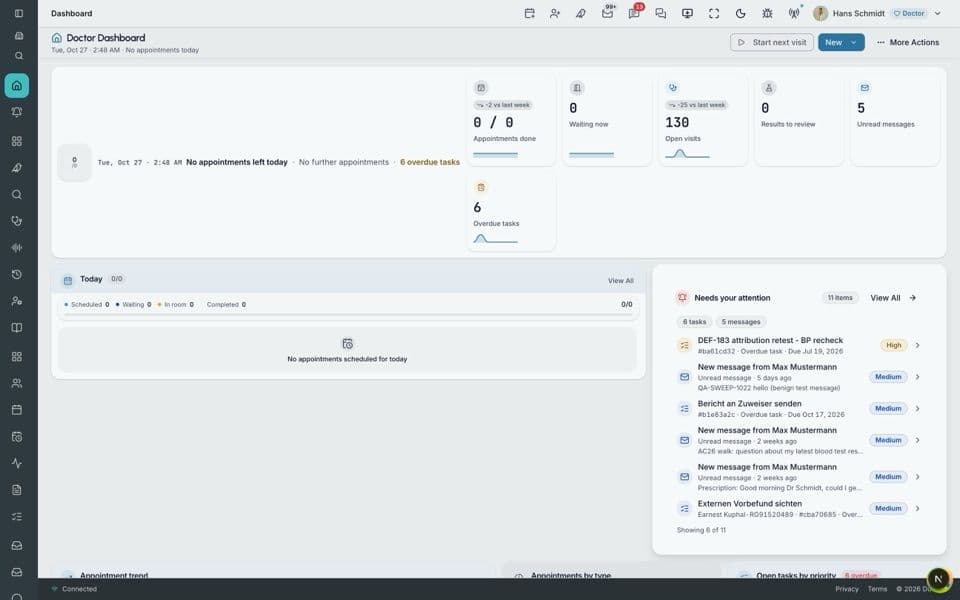
The front desk starts on today's list
The receptionist unlocks the door, switches on the lights and signs in to the reception portal. The morning's appointments are already on screen, and Mira's is the third. Each desk opens its own role-based portal on the same platform, so the doctor, the nurse and accounting will see the same appointment from their own side. Nobody prints a list. Nobody copies names into a spreadsheet. Next to Mira's slot, the receptionist sees that the fee is paid and that last year's visit is on file. The day starts with the data already in one place.
Sources: Schedule, Patient record
Mira answers a question before coffee
Mira's phone shows a short message from the practice about this morning's visit. It asks one thing: has the rash changed since she booked? She writes back two lines. Drier, she says, and a little larger. Parrot, the assistant for patient messages, is being built for this moment: it gathers messages like Mira's into one inbox, sorts each to the right desk and drafts a reply for staff to check. Nothing leaves the practice without a person. The receptionist reads her answer and passes it to the doctor's list.
Sources: Patient message, Reception inbox
The intake form is done on the tram
While the receptionist works through the list, Mira gets a link to her intake form. She opens it on the tram. There is no app to install: patients answer through a secure guest link in their own browser. The practice built the questions itself in a visual form builder, so they ask what this clinic needs to know about skin, allergies and current medicines. Mira finishes between two stops. Patients complete assigned assessments online, and the clinic can share the same form by link, QR code or a kiosk in the waiting room. Mira walks in with the form already done.
Sources: Guest link, Intake form
Check-in takes one look at the screen
Mira arrives a little early. The receptionist finds her in the morning list, sees the paid fee and the finished form, and marks her as arrived. One question is still open: the doctor added a short form about sun exposure this week. Mira answers it on the kiosk in the waiting room while the coffee machine hisses. At the desk, Falcon is the assistant staff speak or type to for quick requests, such as which room is free next. It is built for staff, and it does not answer the phone. Mira sits down, and nobody has asked her date of birth twice.
Sources: Schedule, Waiting-room kiosk
The morning
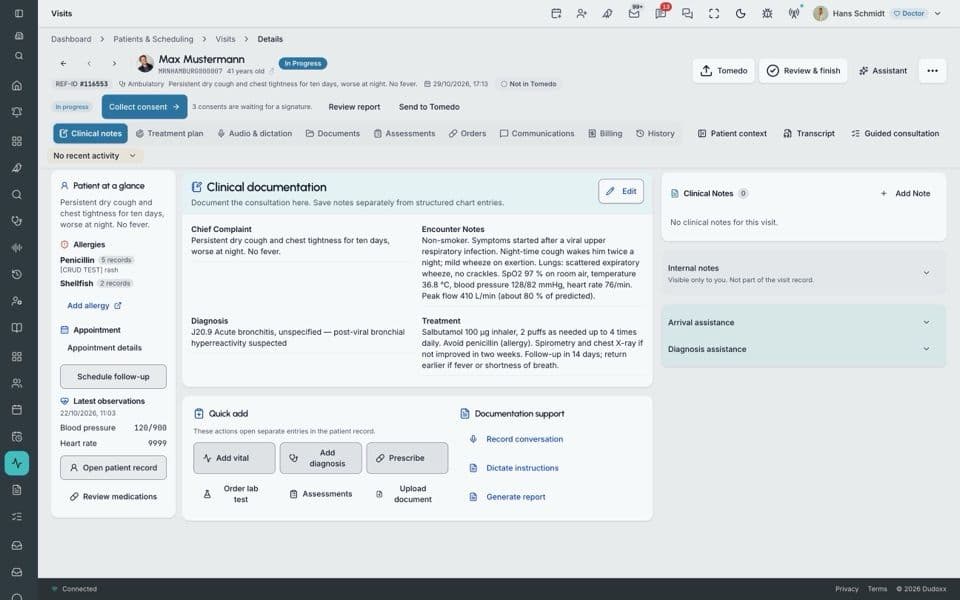
The doctor sees the rash and the history
The doctor opens Mira's record in the same workspace as the schedule and finds last year's visit without a search. Then the doctor looks at the patch on her forearm and writes structured visit notes as they talk. IBIS brings medical knowledge to the case: advisory differential suggestions and ICD-10 coding support for the working diagnosis. The doctor reads the list, keeps one suggestion, rules out two and codes the visit by hand. AI suggests; clinicians decide. This visit is typed, though guided assessments can also be filled by voice.
Sources: Visit notes, Diagnosis codes, Patient record
A lab letter is read and filed
Mira's blood test from her GP arrives as a printed letter, and the front desk scans it. Until now, someone would read the page, look for the right patient and type the values into the chart. Here, the scanned page is read and filed to Mira's record. The system reads printed documents; a handwritten note in the margin still needs a person. When the doctor asks about the result, Condor plans its steps in view and answers from the record in a retrieval-backed report. The doctor opens the original page beside it and checks.
Sources: Scanned letter, Patient record
A short video visit about the results
Mira is back at work when the doctor invites her to a short video visit to go over the blood test. She joins from her laptop and waits in a virtual waiting room until the doctor lets her in. The call runs inside the platform, so the clinic team needs no separate video app. The doctor takes notes during the call; live transcription runs alongside, and the doctor reads it before keeping a line. The call notes are saved to the visit. Mira goes back to her spreadsheet with a plan she understood and one cream to collect.
Sources: Video visit, Call notes
Two letters are drafted, then signed
Over lunch, two documents are due: a visit summary for Mira and a referral letter to a dermatologist colleague for a second look. AI drafts both from the visit data, the notes and the coded diagnosis. The doctor reads each draft, changes one sentence in the referral and signs off. Nothing leaves before that signature. Each document comes out as PDF and HTML. The doctor did not search for a single value to copy, and did not retype the diagnosis. The gathering moved to the assistant. The judgement stayed where it was.
Sources: Visit notes, Visit summary, Referral letter
Afternoon and evening
Mira's question gets a checked answer
Mira writes again after work: can she keep using her usual moisturiser with the new cream? The question reaches the clinic team, and the nurse takes it. The visit notes and the summary are open in the record, so the nurse does not have to ring the doctor between patients. Parrot drafts a first reply for this kind of message, for staff to check and send. Nothing goes out without a person. The nurse writes three plain sentences back. Mira reads them on the bus home and stops worrying.
Sources: Patient message, Visit summary
The invoice is built from the visit
At the accounting desk, Mira's visit and video call become one private invoice. The tariff engine for GOÄ suggests prices from the tariff, and the accountant reviews each line before accepting it. VAT is checked before the invoice is issued. The card payment from last night is already recorded, so the balance is clear at a glance. The day's entries leave in an accounting export for tax advisers. Nobody rebuilt the visit from memory or chased a doctor for a missing code. The codes, the notes and the payment were in one record all along.
Sources: Tariff lines, Card payment, Accounting export
Mira's record is complete for the day
By evening, Mira's record tells the whole day without anyone writing a summary of it. The booking and payment, her two messages, the intake answers, the visit notes and code, the filed lab letter, the call notes, two signed letters and the invoice sit in one place. The record is built on FHIR R4, an open standard. Each clinic's data is isolated, and it is encrypted in transit and at rest. Tomorrow, whoever opens it, at any desk, starts from the same page. Mira, at home with her cream, never saw the searching she was spared.
Sources: Patient record, Open standard
One record, five desks
Every desk worked in the same record. This is what each one left behind for Mira.
- ReceptionBooked online, paid by card · Checked in on arrival · Message passed to the doctor
- DoctorStructured visit notes · Working diagnosis, ICD-10 coded · Video follow-up notes
- NurseMoisturiser question answered · Visit summary read · Reply sent by a person
- DocumentsGP lab letter read and filed · Visit summary signed · Referral letter signed
- AccountingGOÄ lines reviewed · VAT checked · Invoice issued
The data work moved to the assistants
Look back at Mira's day and count what nobody had to do. Nobody typed her booking into a calendar. Nobody searched a shared drive for last year's visit, read a scanned letter line by line to find her name, or rebuilt the visit from memory to bill it. That time used to go on gathering, finding, searching and reading data. In Mira's day, the assistants took over that work inside one workbench. Each desk got the information for its job faster, with fewer chances to copy a value wrong.
What did not change is who decides. The doctor chose the diagnosis, judged the lab values and signed both letters. The nurse wrote the answer Mira read on the bus. The accountant checked every invoice line. AI suggests; clinicians decide, at every stop of the day. Fewer copies of the same data also leave fewer places for an error to hide: one record, one patient at the centre, less risk in how her data was handled. It was an ordinary clinic day. It just had far less searching in it.
Walk through your clinic's day
Book a demo and we follow one patient through your desks, from the booking to the invoice.